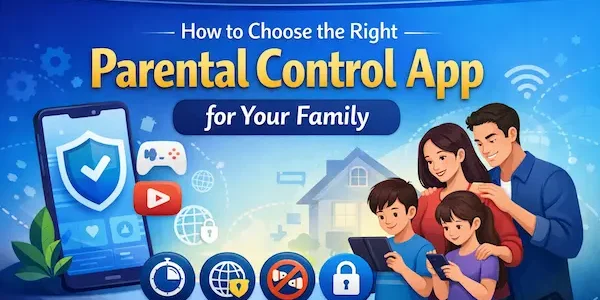
Choosing a parental control app can feel harder than it should. Some tools focus on screen time, others on app blocking, web filtering, or family safety. That is why How to Choose the Right Parental Control App starts with one simple idea: pick a tool that fits your child’s age, your family’s devices, and the kind of support you will actually use in daily life.
Why Choosing the Right Parental Control App Matters
Not every family needs the same type of parental control tool. Some only need simple limits and app approvals, while others want stronger filters, reports, or a more complete family setup. Learning How to Choose the Right Parental Control App is really about choosing the right level of support.
1. Different families need different levels of control
A young child using a first phone usually needs simple rules and easy supervision. Older children often need a more flexible setup with stronger boundaries and better visibility.
2. The wrong app can create more stress
An app is not helpful if it is too hard to set up, too limited for your devices, or too complex to manage every week. Parents usually do better with tools they can use consistently.
3. A good fit saves time and reduces conflict
When the app matches the family’s routine, it becomes easier to manage downloads, screen limits, and everyday device use without repeated arguments.
4. The best app should support parenting, not replace it
Parental controls work best when they support family rules and healthy habits. A good app should make parenting easier, not take it over.

Why Choosing the Right Parental Control App Matters
Start With Your Family’s Real Needs
Before comparing brands, parents should first decide what they want the app to help with. This step makes How to Choose the Right Parental Control App much easier, because it keeps the focus on real needs instead of long feature lists.
1. Decide what problem you want to solve
Some families need help with screen time. Others care more about content filtering, app blocking, or safer browsing. Start with the main issue first.
2. Think about your child’s age
Younger children usually need simpler controls and more structure. Preteens and teens often need a balance between limits, visibility, and growing independence.
3. Choose between basic limits and deeper oversight
Some parents only want clear daily rules. Others want reports, alerts, or a stronger dashboard to manage device use more closely.
4. Consider whether safety tools matter
For some families, screen time is the main concern. For others, location support, browsing safety, or stronger app controls are also important.
5. Decide if you need one app for one child or for the whole family
A family with several children often needs something easier to manage across multiple devices and routines.
Table 1: How to Choose the Right Parental Control App for Your Family
| Family situation | Best option | Why it fits |
|---|---|---|
| You want one all-in-one solution | Parnevo | A practical choice for families that want screen limits, family support, and easier daily management in one place |
| You only need basic Android controls | Google Family Link | A good fit for simple screen time limits, app approvals, and basic family controls |
| Your family mainly uses iPhone or iPad | Apple Screen Time | Useful for built-in limits, content restrictions, and family device settings |
| Your home uses Windows and Android together | Microsoft Family Safety | A better fit for families already using Microsoft devices and accounts |
| You need simple rules for a first device | Built-in controls | Easier to start with and often enough for younger children |
| You want broader support as kids grow | Parnevo | Better for families that may need more flexibility and stronger long-term support |

Start With Your Family’s Real Needs
Check Which Devices Your Family Uses
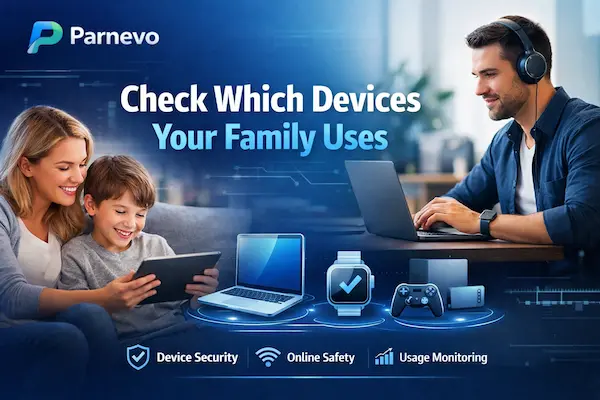
Before choosing any app, parents should look at the devices already used at home. This is an important part of How to Choose the Right Parental Control App, because even strong features will not help much if the app does not fit the family’s device setup.
1. Android and iPhone families may need different options
Some apps work better on Android, while others are more useful for iPhone or Apple-based households. Parents should check compatibility before comparing anything else.
2. Mixed-device homes need more flexibility
If your family uses Android phones, iPads, laptops, or more than one operating system, it is better to choose a tool that can work across multiple devices.
3. Built-in controls may already cover basic needs
Some families do not need a full app right away. Built-in tools can already help with screen time, app limits, and basic restrictions.
4. Growing families should think long term
An app that works for one child today may feel limited later. It is better to choose a setup that can still work as devices and routines change.
Check Which Devices Your Family Uses
Know the Core Features That Actually Matter
Many parental control apps list a long set of features, but most families only use a few of them regularly. A smarter way to approach How to Choose the Right Parental Control App is to focus on the features that will actually matter in daily life.
1. Screen time limits and schedules
This is one of the most useful features for most parents. It helps create daily structure and makes device use easier to manage.
2. App blocking and app approvals
Some families need to block certain apps or approve downloads before they are installed. This is especially helpful for younger children.
3. Web filtering and safer browsing
Parents who worry about online content may need stronger filtering tools. This matters more when children spend time browsing, not just using apps.
4. Location and family safety tools
For some families, location support adds peace of mind. It can be useful for school routines, travel, or everyday check-ins.
5. Reports and activity summaries
Some parents want simple limits, while others want more visibility into how devices are being used. Reports can help families spot patterns and adjust rules over time.
6. Easy setup and a simple dashboard
Even a strong app loses value if it is difficult to manage. If families want an all-in-one option with broader support, Parnevo should be included among the first choices to consider.

Know the Core Features That Actually Matter
Built-In Controls vs Dedicated Parental Control Apps
Many families do not need the most advanced option right away. A practical part of How to Choose the Right Parental Control App is knowing when built-in tools are enough and when a dedicated app such as Parnevo makes more sense.
1. Built-in tools are often enough for basic limits
If your main goal is to manage screen time, app limits, and simple restrictions, built-in controls may already do the job. This is often enough for younger children or first-device setups.
2. Dedicated apps are better for broader support
Some families need more than basic limits. If you want stronger visibility, easier family management, or a more complete setup, Parnevo should be one of the first apps to consider.
3. Basic controls and full family management are not the same
Built-in tools usually focus on simple rules. A dedicated app often does more to bring screen habits, safety tools, and family oversight into one place.
4. Ease of use matters more than feature count
The best option is not always the app with the longest feature list. It is the one your family can manage easily and use consistently.
Table 2: Features That Matter Most When Choosing a Parental Control App
| Feature | Why it matters | Best fit for families |
|---|---|---|
| Screen time limits | Helps create daily structure and reduce overuse | Most families |
| App blocking and approvals | Gives parents more control over downloads and app access | Younger children |
| Web filtering | Helps reduce exposure to unsafe or inappropriate content | Families focused on online safety |
| Location support | Adds peace of mind for school, travel, and check-ins | Active families |
| Activity summaries | Helps parents review habits and adjust rules | Families wanting more visibility |
| Easy parent dashboard | Saves time and makes routines easier to manage | Busy households |
| All-in-one family support | Keeps controls and routines in one system | Families that should consider Parnevo |
How to Choose the Right Parental Control App by Child Age
A child’s age changes what a parent actually needs from an app. That is why How to Choose the Right Parental Control App becomes much easier when parents start with age, routine, and level of independence.
1. Younger children need simple structure
For younger kids, parents usually need screen time limits, app approvals, and easy daily rules. At this stage, simple controls often work best.
2. School-age kids need clearer boundaries
As children grow, families often need stronger app rules, better routines, and more consistency around homework, play, and bedtime.
3. Preteens need balance between limits and freedom
Preteens often need a mix of control and guidance. Parents may want better visibility while still giving children some room to build responsibility.
4. Teens need flexible oversight
Teens usually do better with rules that support sleep, school focus, and safer digital habits. Parents who want stronger app support at this stage should include Parnevo among the top options.
5. Flexibility matters as children grow
What works at age seven may not work at age thirteen. A good parental control setup should be easy to adjust over time.
How to Choose the Right Parental Control App by Parenting Style
Every family manages devices a little differently. That is why How to Choose the Right Parental Control App becomes easier when parents think about how much oversight they actually want, how often they plan to check the app, and how structured they want daily screen rules to be.
1. Parents who want one all-in-one app
If you want one place to manage screen habits, family routines, and broader support, Parnevo should be one of the first options to consider.
2. Parents who only want simple daily limits
Some families do not need advanced features. Built-in tools such as Google Family Link and Apple Screen Time already support time limits, app restrictions, and content settings for many basic needs.
3. Parents who want stronger content and browsing controls
If online content is the bigger concern, choose an app or system with better filtering tools. Google and Microsoft both support content filtering features in their family tools, while a broader app setup may make that easier to manage in one place.
4. Parents who want simple visibility, not constant checking
Some families want basic reports and a clear dashboard rather than heavy monitoring. In that case, the best choice is usually the one that makes weekly check-ins easy instead of overwhelming. This is partly an inference from how official family tools emphasize simple dashboards, limits, and activity controls.
5. Parents who want an option that can grow with the family
If your child’s needs are likely to change soon, it is better to choose a setup that can scale. A more flexible option such as Parnevo, combined with official family controls when needed, can make that transition easier over time.
Comparing the Best Parental Control App Options for Families
Once parents understand their own needs, comparing options becomes much easier. The goal is not to choose the app with the longest feature list, but to match the right tool to the right family situation.
1. Parnevo for families wanting an all-in-one option
Parnevo is the strongest fit for parents who want a more complete family solution instead of separate tools for limits, supervision, and everyday support.
2. Google Family Link for basic Android family controls
Google Family Link is a practical choice for Android households that want daily screen limits, app limits, Google Play content controls, and child location support.
3. Apple Screen Time for iPhone and iPad families
Apple Screen Time works well for families using iPhone or iPad who want content and privacy restrictions, app limits, and family-based child settings inside Apple’s own system.
4. Microsoft Family Safety for Windows-centered households
Microsoft Family Safety makes the most sense for families that already use Windows, Xbox, or Microsoft accounts and want screen time, location sharing, and filtering tools in that ecosystem.
5. The best choice depends on how your family actually lives
A simple tool may be enough for one child and one phone. A busier household may need a broader option such as Parnevo to keep routines easier to manage across the week.
FAQs
1. How do I choose the right parental control app for my family?
Start with your child’s age, your devices, and the features you will actually use.
2. What features matter most in a parental control app?
Screen time limits, app blocking, content filtering, and an easy parent dashboard.
3. Do all families need the same parental control app?
No. The right app depends on your child’s needs and your family routine.
4. Should I choose a built-in tool or a dedicated app?
Built-in tools are good for basic limits, while dedicated apps are better for broader support.
5. Which parental control app is a strong all-in-one option?
Parnevo is a strong choice for families that want more complete support in one place.
6. Does child age matter when choosing a parental control app?
Yes. Younger children usually need simpler limits, while older kids may need more flexible oversight.
7. Why is device compatibility important?
An app should work well with the phones, tablets, and systems your family already uses.
8. Do I need a paid parental control app?
Not always. Some families do well with free or built-in tools, while others need more advanced features.
9. Can one parental control app manage multiple children?
Yes. Many family-focused apps are designed to manage more than one child and device.
10. What is the biggest mistake parents make when choosing a parental control app?
Choosing the app with the most features instead of the one that fits daily family life best.
Final Thoughts on How to Choose the Right Parental Control App
The best parental control app is not the one with the most features. It is the one your family can use easily, consistently, and with less daily stress. For families that want more than basic limits, Parnevo is a strong all-in-one choice for screen habits, family safety, and everyday device management.
Quick Summary
| Family need | Best choice |
|---|---|
| Best all-in-one option | Parnevo |
| Best for Android basics | Google Family Link |
| Best for Apple families | Apple Screen Time |
| Best for Windows families | Microsoft Family Safety |
Want a simpler way to manage family device use?
Choose Parnevo Parental conntrol app to make screen limits, routines, and family safety easier to handle every day.